 Penny Payday
Where did your last check go? This time, you decide.
Type your check. Penny splits it before you spend it: bills, a little set aside, envelopes for the stuff you always buy. Then you get one number a day until payday.

No bank link. No account. Penny does arithmetic on the numbers you type. Not financial advice.

From check to one number
Monthly budgets assume the whole month's money is there on day one. Penny plans the check you actually have, from payday to payday.
Type what landed
Your take-home check, how often it comes, and the bills due before the next one.
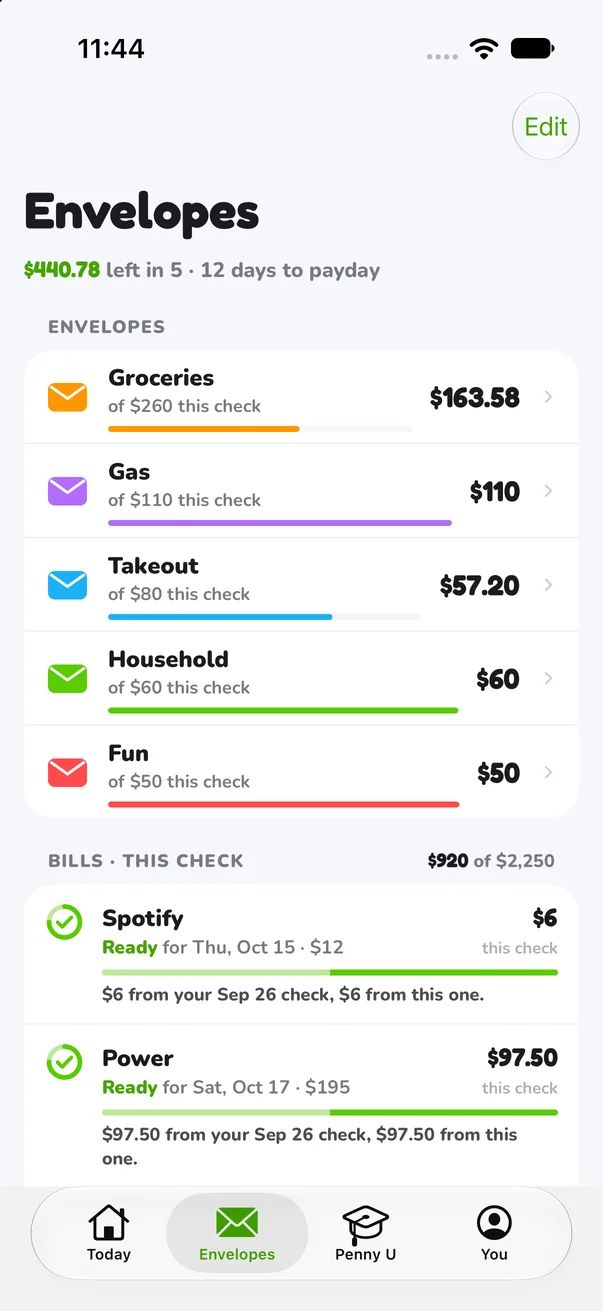
Penny splits it
Bills first, then your set-aside, then envelopes for groceries, gas, takeout and the rest.
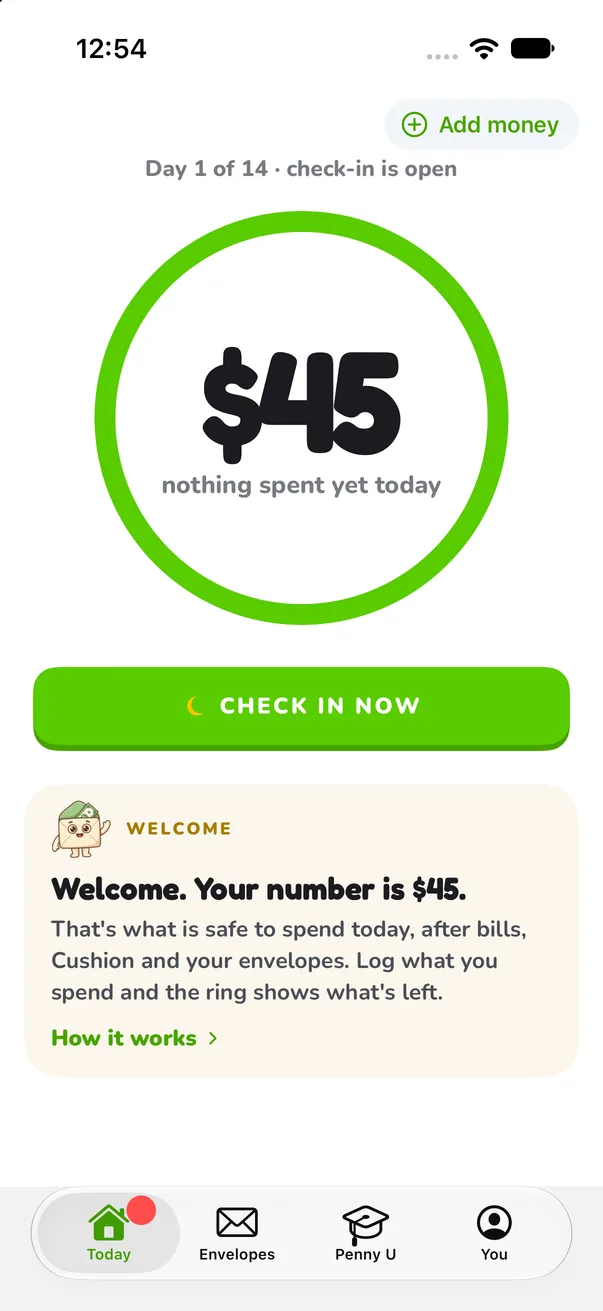
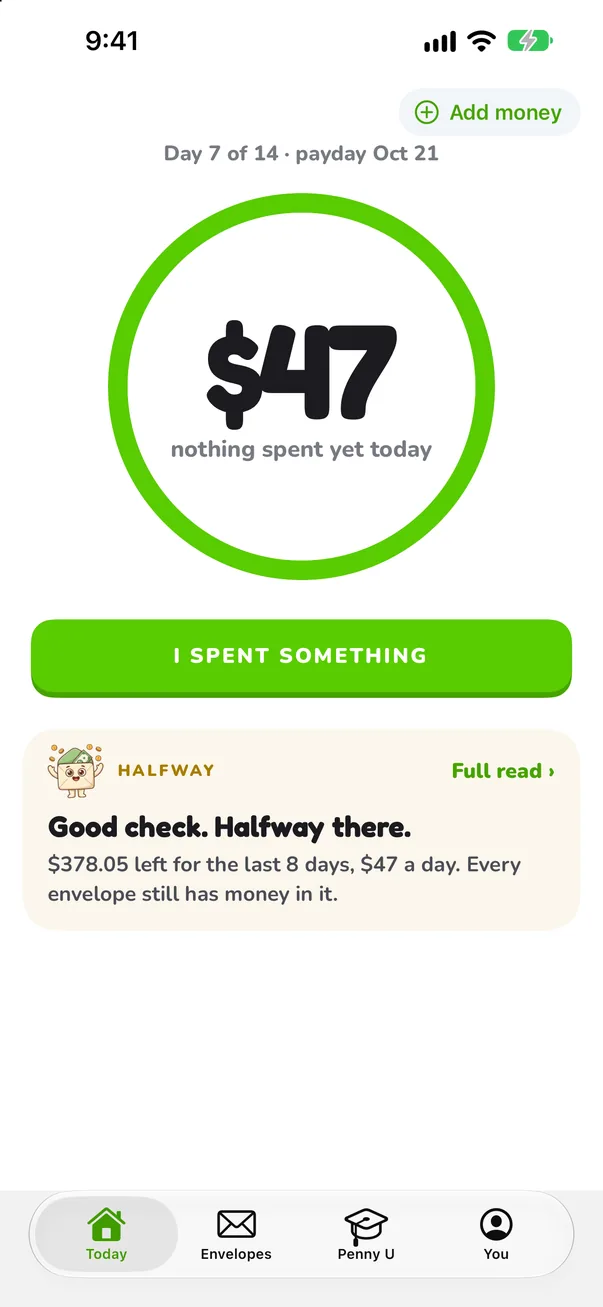
One number a day
What's left, divided by the days to payday. Stay under it and the check lasts.
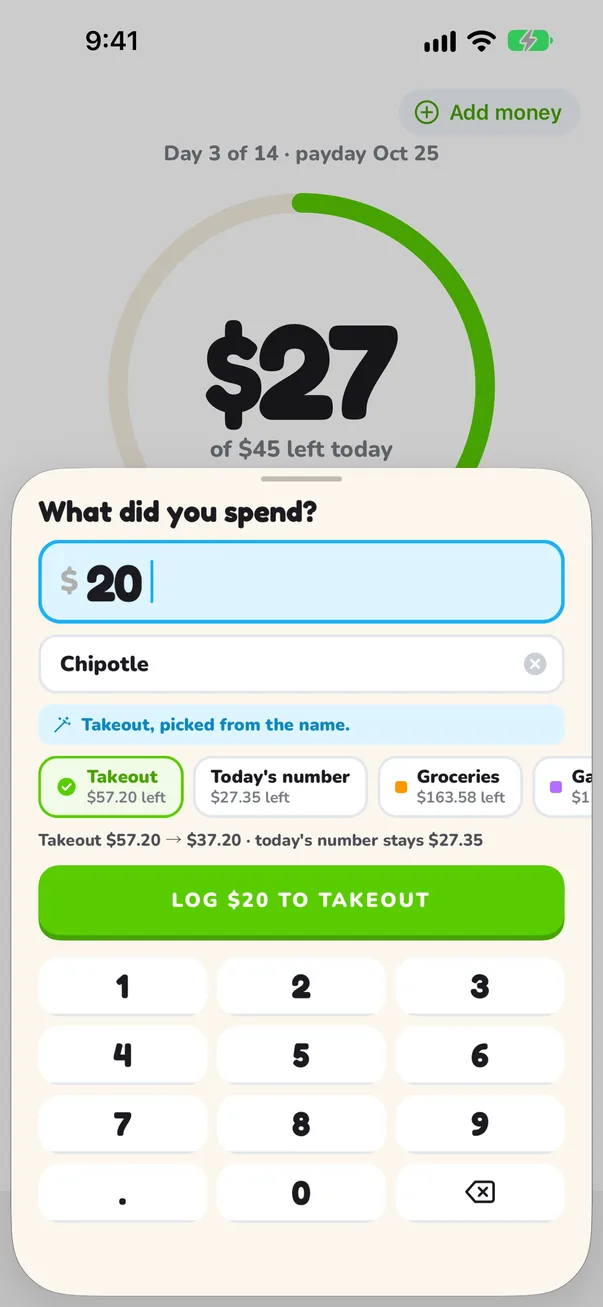
Log it in seconds
Type the amount and a name. Penny picks the envelope and the number moves on the spot.
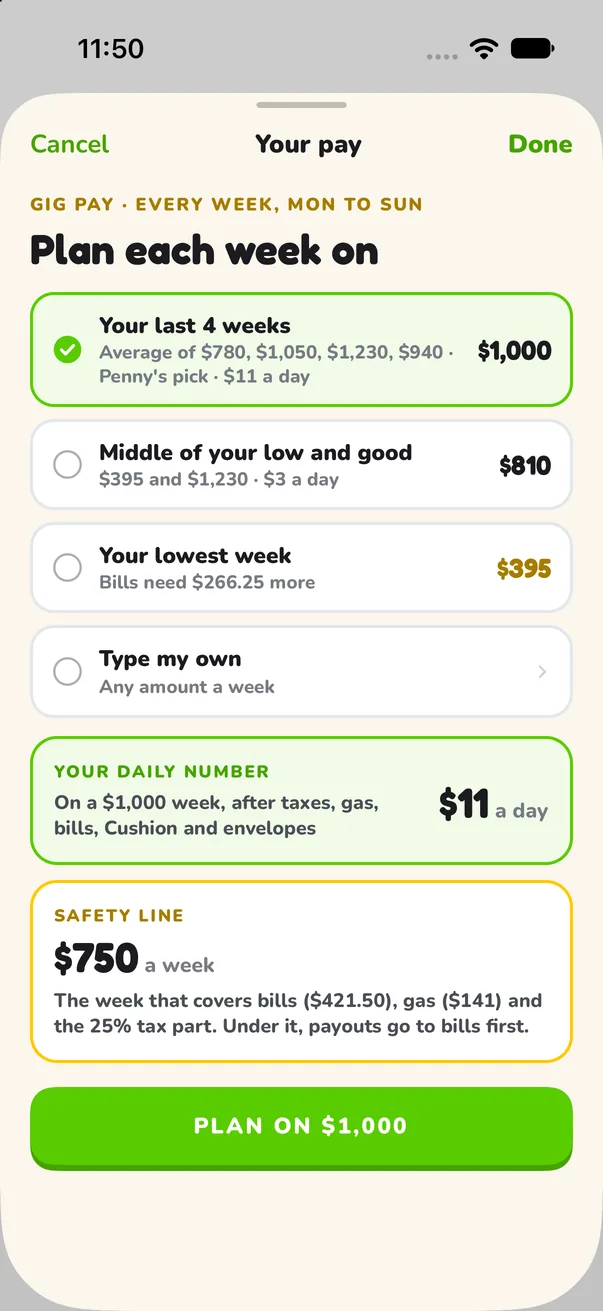
Built for checks that change
Shifts move, tips swing, some weeks the app is dead. Penny plans on a number you pick and counts the rest when it lands.
- Paid every week, every two weeks, twice a month or monthly.
- Gig pay: plan each week on your last 4 weeks, your lowest week, or a number you type.
- 1099 money: a part of every payout goes to a Taxes envelope first, at the percent you pick.
- Extra shift or a good tip night: add the money and choose where it goes.
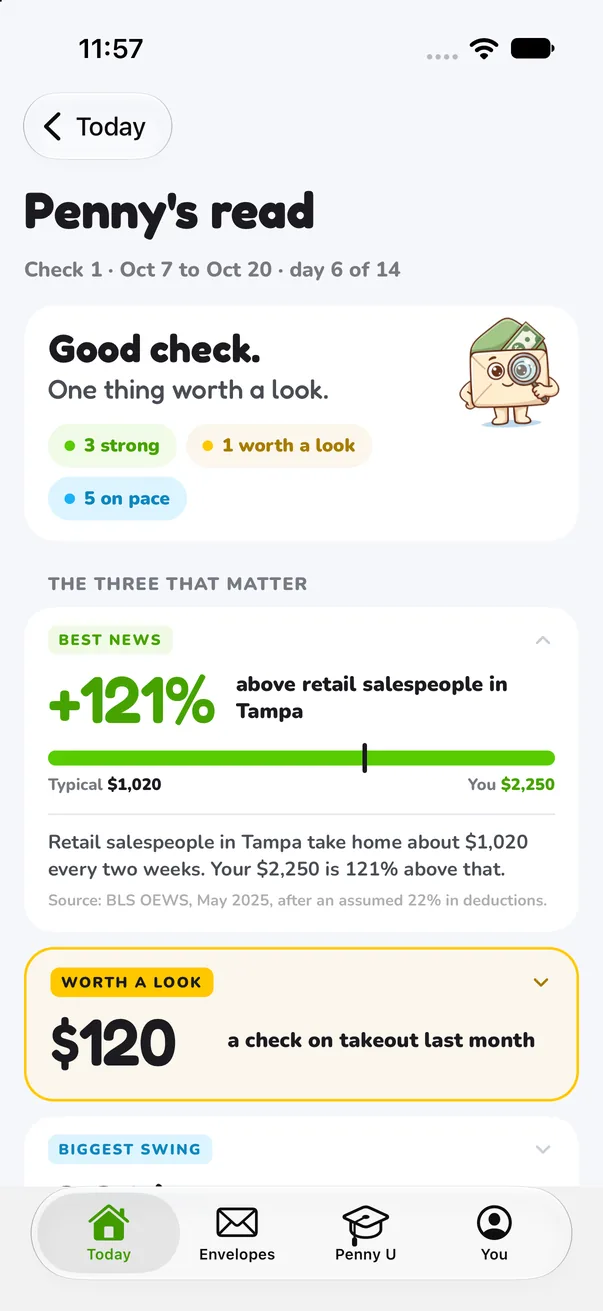
A read on every check, in plain words
No charts to decode. Penny tells you what's going fine and the one thing worth a look.
- On pace or not, with the days left.
- The envelope that swung the most this check.
- How your pay compares with the same job in your city, from government wage data.
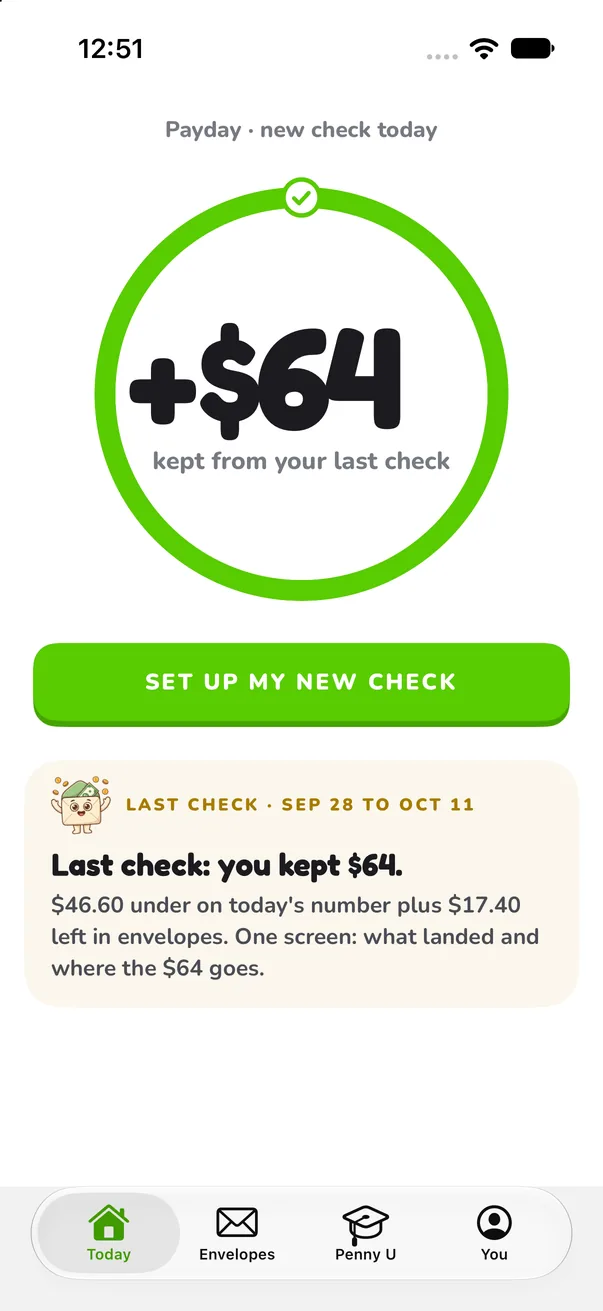
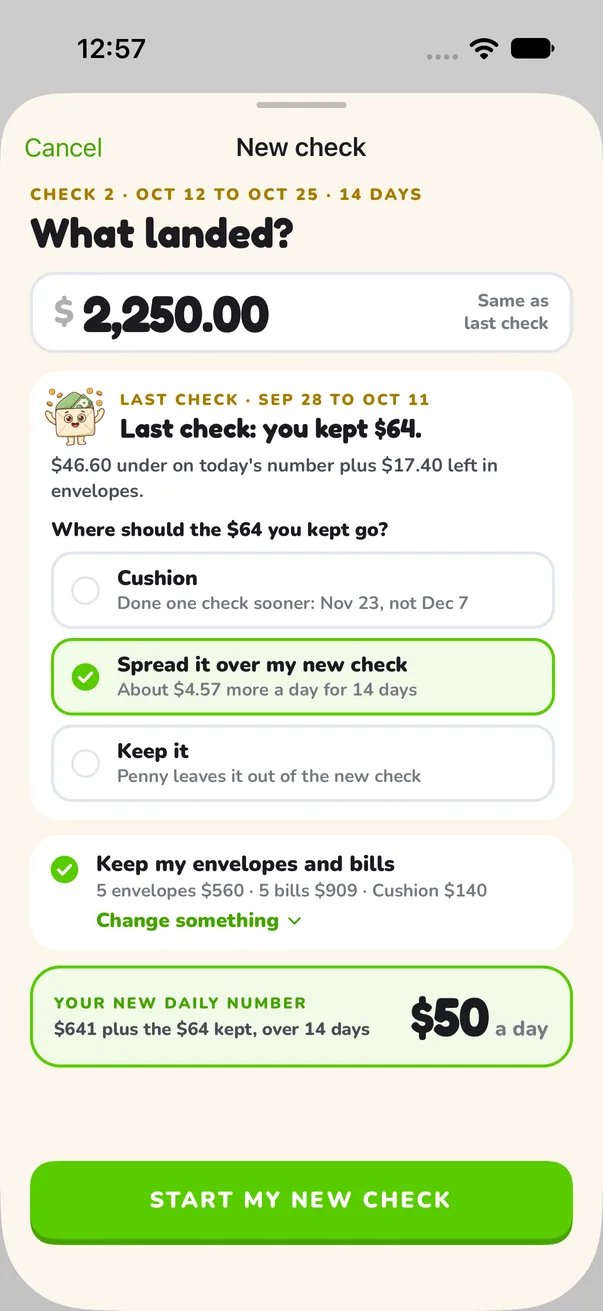
Start each check fresh
What you didn't spend shows up on payday. Spread it over the new check, put it in a cushion, or keep it. Then Penny re-plans with what landed this time.

PennyBills, envelopes and your goal carry over. You only type what changed.
What Penny is, and isn't
Penny is
- A plan for this check, made again every payday.
- One number a day for everything not already planned.
- Kept on your phone. Your plan is stored on your device.
Penny is not
- A bank link. Penny never asks for bank logins.
- An account. No sign-up, no email, no password.
- Financial advice. Penny does arithmetic on what you type.
Do the math right here
The same arithmetic Penny does, on this page. Nothing you type leaves your browser.
Paycheck budget calculator
Your check, your bills, your payday. One number a day.
Open it › CalculatorGig tax set-aside
DoorDash, Uber, Instacart: what to put aside from each payout.
Open it › Calendar3 paycheck months
Your next paydays and the months that bring an extra check.
Open it › GuideBudget a biweekly paycheck
Which check pays which bill, and how to even out the broke week.
Read it › GuidePaycheck to paycheck budget
A plan that starts with no cushion and the days until payday.
Read it › FAQQuestions, answered
Bank links, data, cost, hourly and gig pay, and what Penny is not.
Read it ›
Take control of your next check
Type it in. Penny does the rest of the math.
Take controliPhone app. Penny Payday is a subscription: you build your plan first, and the price shows in the app before you pay.